pet meme generator
Pet Meme Generator
Turn a cat or dog photo into a reusable meme pack with expressive pet reactions, sticker-friendly framing, and chat-ready consistency.
Quick Answer
A pet meme generator works best when you start from one clear cat or dog photo and ask for a full set of reactions instead of one random joke image. Pets already have strong visual identity, so a consistent 3x3 pack is usually more useful than a single caption meme.
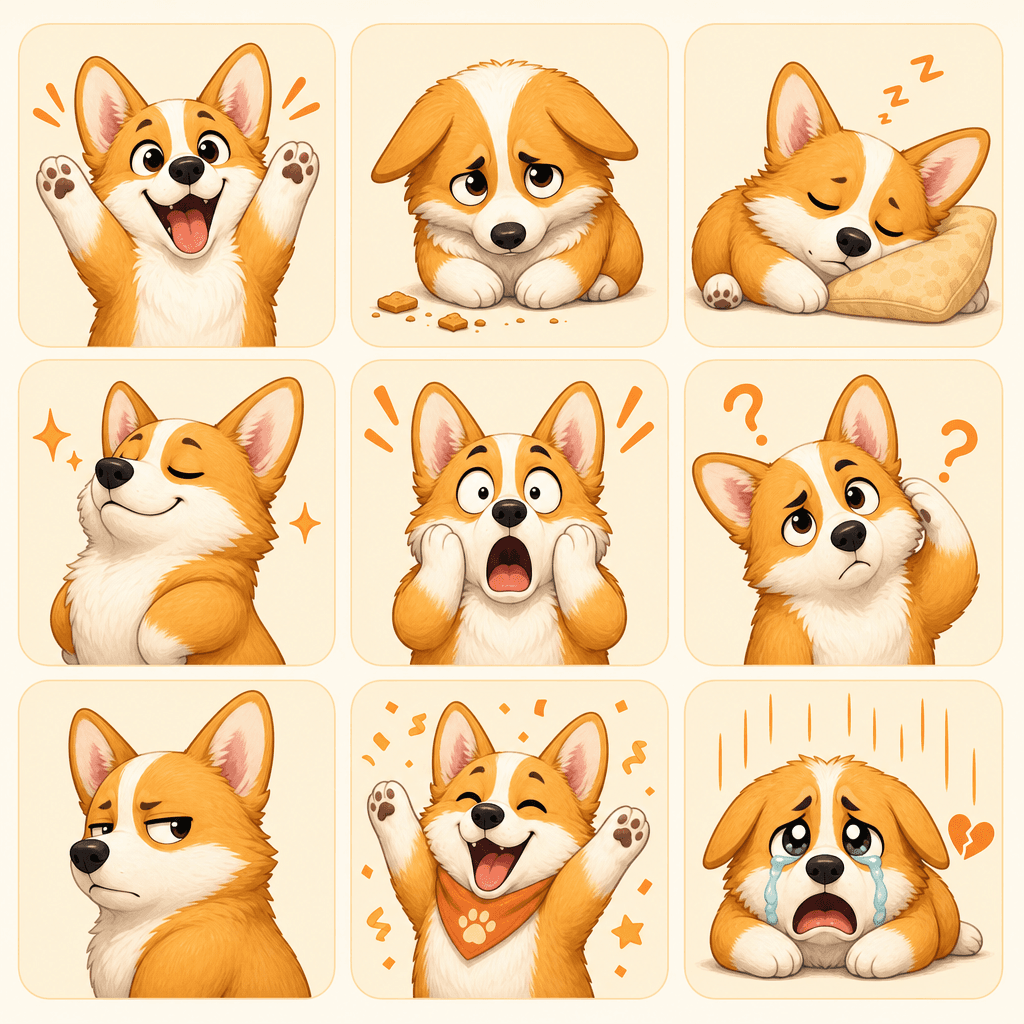
MakeImg is a good fit for this because you can upload a pet photo, choose a friendly visual style, and generate a nine-image meme pack with expressions such as excited, guilty, confused, sleepy, proud, suspicious, happy, shocked, and dramatic.
Step-by-Step Tutorial
Pet packs work best when the animal stays recognizable across every panel.
- 1
Choose one clear pet photo
Use a well-lit photo with one main pet, a readable face, and enough room around the subject. Avoid tiny pets in busy rooms because the model needs a strong subject outline.
- 2
Pick a meme-friendly style
Cute comic, soft sticker, anime, and illustrated pet styles usually work better than strict realism because they support stronger emotional exaggeration.
- 3
List pet-specific reactions
Ask for emotions that feel natural for pets: begging, zoomies, side-eye, nap mode, snack panic, proud pose, caught in the act, dramatic sadness, and tail-wag energy.
- 4
Keep the background simple
A simple background helps the animal read clearly at small sizes. If the pack will be used in chat, minimal backgrounds almost always perform better.
- 5
Download the strongest panels first
Some pet reactions will immediately feel more usable than others. Save the best expressions first, then regenerate weaker panels with more specific prompt language.
Best Use Cases
Pet meme packs work for personal chats, creator communities, pet shops, groomers, shelters, and small brands that want a softer mascot style. A recognizable dog or cat reaction pack feels warmer and more original than generic emoji.
They also work well for recurring characters. If your brand already uses a pet mascot, a reusable reaction pack becomes an easy asset for comments, support replies, Discord servers, and light social content.
Prompt Suggestions
Use prompts that preserve the same pet while changing the expression and situation.
- Turn this dog photo into a 3x3 pet meme pack, same dog in every panel, cute sticker style, emotions: excited, confused, guilty, sleepy, proud, shocked, suspicious, happy, dramatic.
- Generate cat reaction memes from this photo, soft comic style, centered subject, simple background, readable face, no text, nine different moods.
- Create a pet sticker pack from this uploaded photo, consistent fur pattern, same collar, playful expressions, chat-ready composition.
Quality Checklist Before You Generate
Meme quality is mostly about instant recognition. The subject should be readable before the viewer zooms in, and the emotion should be clear before any caption explains the joke. For a pet meme generator workflow, start by deciding what success looks like before you press generate. The output may be attractive, but it still needs to solve the original task: clearer restoration, a stronger reaction, a more natural composition, or a cleaner edit.
Check the input first. Make sure the source image, prompt, style choice, and final format all point in the same direction. If you are using MakeImg Create, keep the instruction short enough for the model to follow and specific enough that it cannot ignore the main request.
- One clear subject or task is easier to control than several competing goals.
- Simple backgrounds usually improve readability and reduce unwanted artifacts.
- Consistent style words help the model keep the result cohesive across a full set.
- Download only after checking the result at the size where it will actually be used.
Common Mistakes to Avoid
The most common mistake is asking for too much: too many styles, too many props, too many characters, or too much text inside the image. A meme pack becomes more useful when every panel has one job. This matters for SEO-style tutorial workflows too: people searching for pet meme generator usually want a usable result quickly, not a complex art experiment that needs many manual fixes afterward.
Before downloading, look at the full grid and ask whether each panel would work as a standalone reaction in a fast chat. If the answer is unclear, simplify the background and make the emotion stronger. If the first result is close but not ready, change one variable at a time. Edit the emotion list, simplify the style, clarify the reference roles, or narrow the edit instruction. Changing everything at once makes it hard to learn what improved the output.
Keep the original file and the generated result separate. That gives you a clean rollback point, makes comparison easier, and helps you regenerate later if you find a better prompt or model provider.
Publishing and Reuse Notes
After the output is ready, name the file in a way that matches the task, such as pet-meme-generator. Clear filenames make it easier to find the asset later, especially when you are testing several MakeImg workflows in the same week.
If you plan to publish the image publicly, review rights, privacy, and context before posting. Use source material you own or have permission to use, avoid misleading claims, and keep a copy of the prompt so you can explain or reproduce the creative process later.
- Save the final image and the source image in the same project folder.
- Keep a short note with the prompt, style, and tool path used for generation.
- Recheck the output on mobile because most meme and social images are consumed there.
FAQ
Short answers before you generate pet meme packs.
Do pet memes work better from cats or dogs?
Both can work well. The real difference is image clarity and expression. Use the photo with the clearest face, pose, and lighting.
Should I add text captions inside the image?
Usually no. Generate clean pet reactions first, then add captions later only if a specific platform needs them.
Can I use a low-quality phone photo?
You can try, but clearer photos usually produce better consistency across the full pack.
Create with MakeImg
Use this guide as a starting point, then try the matching MakeImg tool to generate, restore, compose, or edit your own images.
Open the tool